1In one sentence
Personalization lets Midjourney learn your taste from pictures you rate, and moodboards let you build a taste from pictures you choose, so every prompt leans toward your look with no extra words.
2New words
- Personalization (--p) — a profile of your taste, built by picking the better of two pictures many times in Surveys (under Tasks in the left menu). Turn it on with the "p" button beside the Imagine bar, or add --p to a prompt.
- Rank pairs — the rating game: two pictures, you click the one you prefer. You need a few dozen choices before it works and a few hundred before it is reliable.
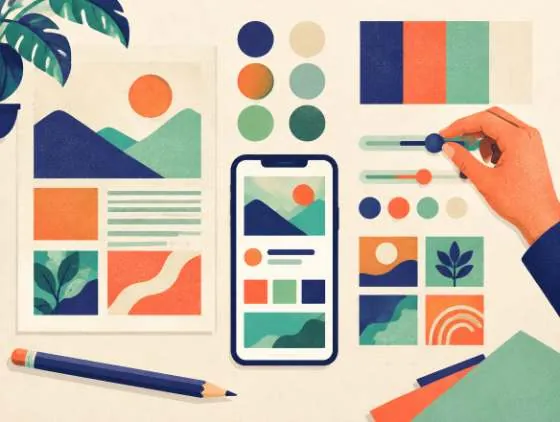
- Moodboard — a collection of pictures you upload or pick (your brand photos, packaging, favorite illustrations) that acts like a personalization profile you built on purpose. Each moodboard has a code you use with --p.
- Profile — each saved taste, rated or moodboard, is a profile. You can have several and switch between them.
3Why you would want it
Instead of writing "warm, cream and brown, soft light, film-like" in every prompt, you put ten pictures that feel like Sam's Bakery into a moodboard and switch it on. From then on, "a croissant on a plate" comes out in your world. Personalization from rating is more general (it learns what you like in art overall); a moodboard is the brand tool.
4Try it now
- Click Moodboards in the left menu, then New Moodboard. Name it Sam's Bakery look.
- Add 8 to 15 pictures: upload your own photos, paste links, or pick from your Midjourney gallery. Keep them consistent; one mood, not everything you like.
- Back on the Create page, click the "p" button beside the Imagine bar and turn on your new moodboard.
- Run: a basket of warm bread rolls on a counter --ar 4:5. Then run it again with the "p" off. Compare.
- For the rating kind: click Tasks in the left menu, open Surveys, choose Rank Pairs, and click your favorite of each pair for a few minutes. Come back after fifty or so.
5What you will see
The Personalize page with your profiles on the left, the moodboard with its pictures and a code like --p abc123, and a toggle to make it the default.
The "p on" grid looks like your pictures; the "p off" grid looks like everybody's.
6Watch out
- A moodboard and a style reference in the same prompt can fight each other; when the result looks muddled, pick one.
- Personalization profiles can behave differently when the model version changes. Midjourney says V7 profiles carry over to V8, but it also says V8.2 reads profiles differently, so re-check your profile after each new version.
- The --s (stylize) value also sets how strongly personalization applies: low stylize, light touch.
7Go further
Make a second moodboard for a different purpose (for example "Christmas campaign") and switch between them. Then read Chapter 1.12 before you print or publish anything.