Save time on repeat work
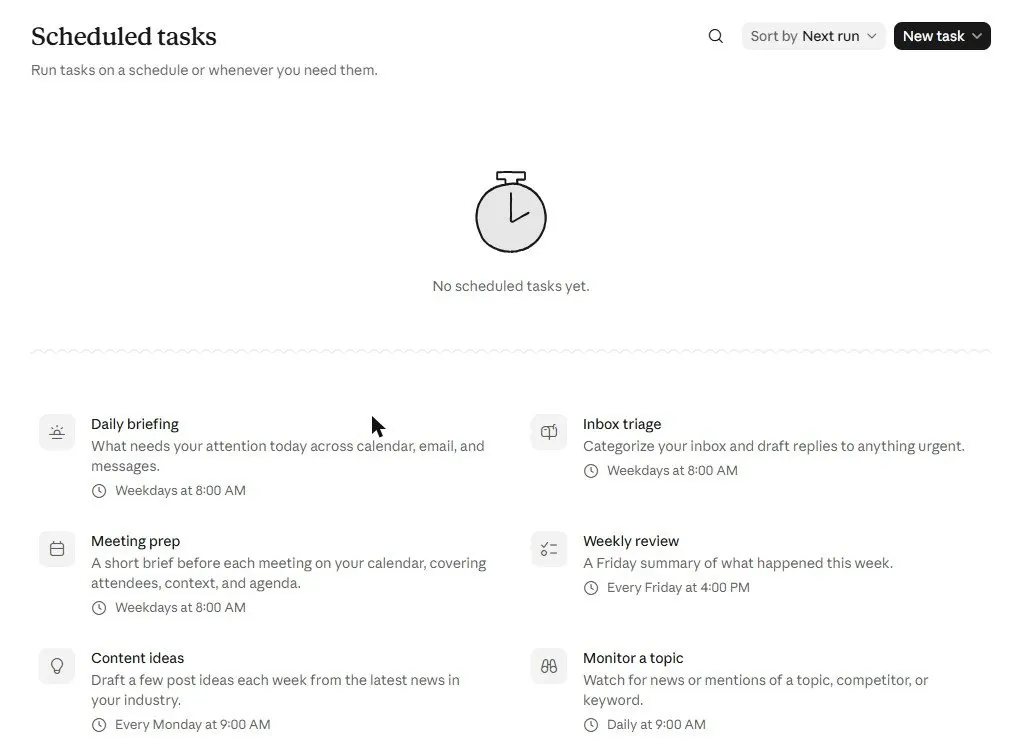
Let AI do tasks for you, on a schedule, while you do something else.
Best tools for this
Read these chapters
Claude · Chapter 2.1 · 3 min readClaudeScheduled tasks
Claude · Chapter 1.12 · 3 min readClaudePermissions and protection (read this first)
Claude · Chapter 2.10 · 3 min readClaudeAgent mode and scheduled tasks
ChatGPT · Chapter 1.15 · 3 min readChatGPTAutomating on a schedule
Claude · Chapter 6.9 · 3 min readClaude
Ready prompts to copy
Weekly news summary delivered by itself
Goal. Every Monday morning, five things that happened in my field, with links, without me searching.
Open. Scheduled tasks (sidebar), paid plan.
Search the web for news from the past 7 days about [my industry / topic / competitor names].
Pick the 5 items most relevant to [who I am and what I do]. For each: one plain-words sentence on what happened, one on why it matters to me, and the link.
Skip press releases and opinion pieces unless important. If a week is quiet, say so rather than padding.
Put it in a document titled "Week of [date]: [topic] news".
What you get · Watch out
What you get. A document waiting each Monday with five dated, linked items.
Watch out. The task runs without you; write it as a complete brief. Check the first two runs and tighten the wording. If stuck: Chapters 1.12, 4.2.
Goal. A morning list of the emails that actually need me, with a draft for each.
Open. Chat or Cowork with the Gmail or Microsoft 365 connector (paid plan for Cowork); Manual mode.
Read my unread emails from the last [24 hours]. Ignore newsletters and notifications.
Give me a table: from, subject, what they want, urgency (today / this week / no action).
For every "today" item, draft a reply in my style (short, polite, direct). Show the drafts; do not send anything.
End with: the one email I should answer first and why.
What you get · Watch out
What you get. A triage table and drafts to approve.
Watch out. Keep "do not send"; you press send. Give it a time window or it reads everything. If stuck: Chapters 1.9, 2.10.
Goal. A messy folder becomes organized without me touching each file.
Open. Desktop app, Cowork, paid plan; connect a copy of the folder; Manual mode first.
Organize this folder. First list what is in it (types, rough count, anything that looks like a duplicate).
Then propose a structure: [by type / by year / by client] with these top folders: [names].
Rename files to [YYYY-MM-DD-topic] where the date is obvious; otherwise keep the name.
Do not delete anything; put suspected duplicates in a folder called _check.
Show me the plan before moving anything, then do it and give me a before/after list.
What you get · Watch out
What you get. A plan to approve, then the folder reorganized and a list of what moved.
Watch out. Work on a copy the first time. Keep "do not delete" in the brief. If stuck: Chapters 2.2, 2.10.
Goal. Know when a competitor changes prices, products or messaging, without checking myself.
Open. Scheduled tasks with browser or web search (paid plan).
Visit [competitor site pages: pricing, products, news]. Compare with what you found last week (keep a short record in the task's document).
Report only changes: new or removed products, price changes with old and new, new claims or offers, anything on their news page. If nothing changed, say "no changes" in one line.
End with one sentence on whether any change affects [my business] and what I might do.
What you get · Watch out
What you get. A short weekly change report, or "no changes".
Watch out. Point it at specific pages, not the whole site. Keep it to reading; never let it fill forms on a competitor's site. If stuck: Chapters 1.12, 2.3.
Goal. A living list of what has to happen, who does it and when, that I can update by talking.
Open. Chat with / and the Tasks type (or a Doc), any plan; put it in a Project.
Create a task list for [project] with a deadline of [date]. Team: [names and roles].
Break it into phases, then tasks under each: what, owner, due date, status (Not started / In progress / Done / Blocked). Add the 3 tasks everyone forgets in a project like this.
Keep it to one screen: no task smaller than half a day.
After that, whenever I tell you what happened, update the list and tell me what is now at risk.
What you get · Watch out
What you get. A task list you can tick and edit, which Claude updates when you report progress.
Watch out. Keep it in a Project so every chat sees the same list. Date every task; "soon" is not a date. If stuck: Chapters 1.5, 1.8.