1In one sentence
Any picture you have made or uploaded can be turned into a 5-second video clip, extended in steps up to about 21 seconds, with low or high motion.
2New words
- Image to video — you give a still picture as the first frame and Midjourney invents the movement. Midjourney does not make video from words alone; it always starts from a picture.
- Motion (Low / High) — Low gives gentle movement (steam rising, a slow camera drift); High gives big camera moves and action, and more often goes wrong.
- Extend — adds 4 more seconds to a clip. You can extend four times, so the longest clip is 21 seconds.
- Loop — makes the clip end where it began, so it repeats smoothly on a social feed.
- End frame — a second picture that the clip should arrive at by the end.
3Why you would want it
Short moving clips get more attention than still pictures on Instagram, TikTok and websites. A product photo where the steam rises and the light shifts is a post. A slow drift across the shop interior is a website header. For a bakery it is the cheapest video there is, but it is also the most expensive thing in Midjourney per click, so plan it.
4Try it now
- Open a picture you like (a food shot works best). Under it, find Animate. Choose Animate (Auto, Low motion).
- Wait. Video takes a minute or more. Four short clips appear; hover to play.
- Pick the best clip, click it, and choose Extend (Auto) once to make it 9 seconds.
- Right-click the clip and choose Download for Social. That gives an MP4 ready for your phone.
- For your own photo: click the image icon in the Imagine bar, upload a photo, and set it as the Starting Frame; type a short description of the movement, for example gentle steam rising, slow camera push in.
5What you will see
Four clips in a grid, playing on hover, with Extend, Loop and download options.
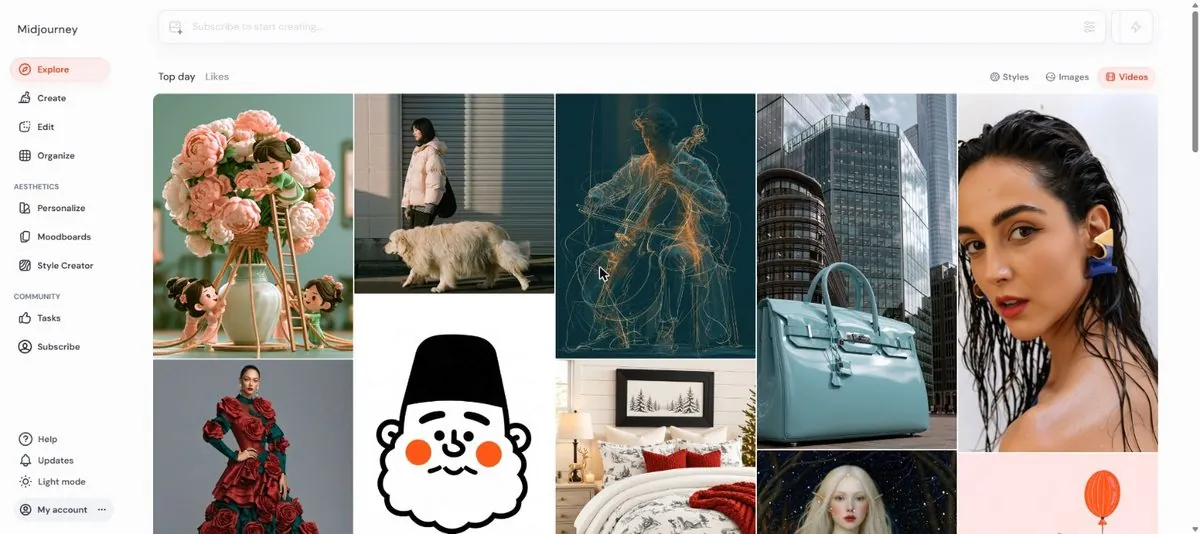
Low motion looks like a cinemagraph: calm and believable. High motion looks like a film shot, when it works.
6Watch out
- Video eats GPU time. A batch of four SD clips costs many times a picture, and HD video several times that again. Set the batch size to 1 or 2 in settings while you test.
- Basic plan gives SD (480p) video only; HD (720p) needs Standard or above. Relax mode for video exists only on Pro and Mega.
- Faces, hands and text in motion are the weakest part. Keep subjects simple: food, scenery, objects.
7Go further
Try Loop on a slow-motion coffee pour and post it. Then read Chapter 1.11 to teach Midjourney your taste.