
1In one sentence
Type one clear paragraph about bread on a counter, set the length and picture shape, press Generate, and wait a few minutes.
2New words
- Aspect ratio — the shape of the picture. 16:9 is wide like a TV; 9:16 is tall like a phone screen (TikTok, Reels, Stories); 1:1 is square. Seedance also offers 4:3, 3:4 and very wide 21:9.
- Duration — the length of the clip in seconds. Seedance 1.5 Pro offers 4, 8 or 12; Seedance 2.0 any whole number from 4 to 15; Seedance 2.5 from 4 to 30.
- Generate — the button that sends your request. The host charges credits when you press it.
- Native audio — sound the model makes itself to match the picture, instead of music you add later. On by default in Seedance 2.0 and 2.5; you can switch it off.
3Why you would want it
Reading about prompts is slow; one real clip teaches you what the model does with your words. Sam wants a short, warm clip of this morning's bread for the bakery's social media. That is the perfect first job: one subject, one movement, simple light.
4Try it now
- On Higgsfield, open Video and stay on the Create Video tab. In the Model dropdown choose Seedance 2.5 Draft (the 480p test version; Seedance 2.5 is the 1080p default).
- Click in the prompt box and type exactly: A slow push-in on a loaf of fresh sourdough bread resting on a worn wooden counter in a small bakery. Soft morning light comes through a window on the left, steam rises gently from the crust, flour dust floats in the air. Warm, calm mood. No people, no text.
- Set Duration to 5s and Aspect Ratio to 9:16. Switch the audio control in the prompt box to Off for this test.
- Press Generate and wait. About three minutes is normal.
- Play the result. Then press Generate once more with the same prompt; you will get a different take.
5What you will see
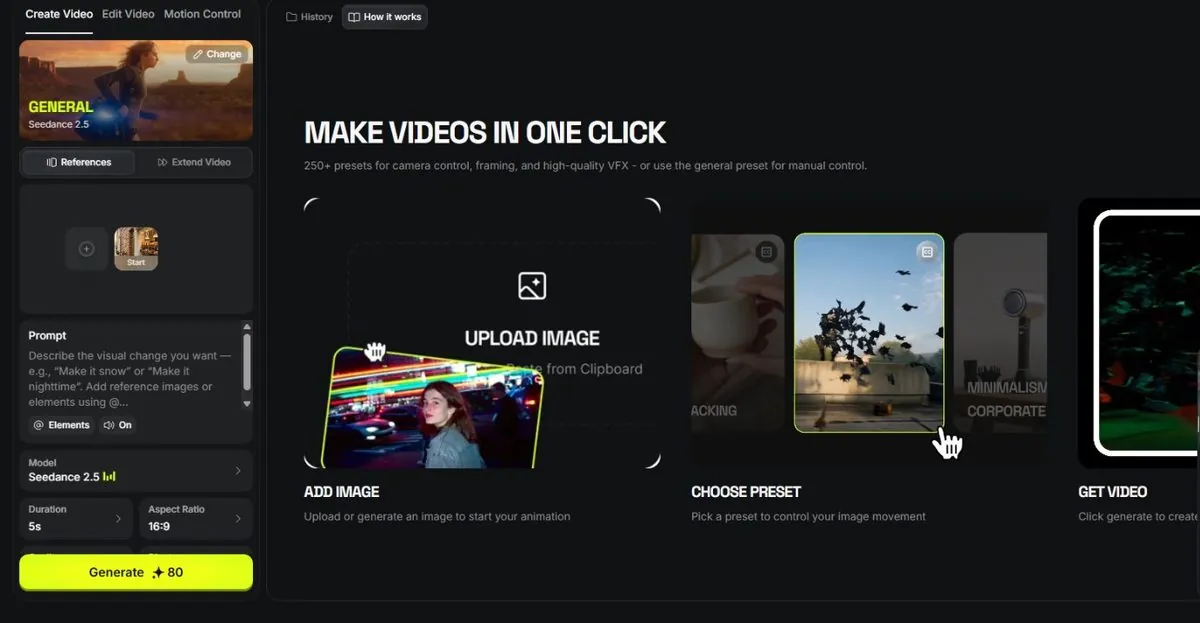
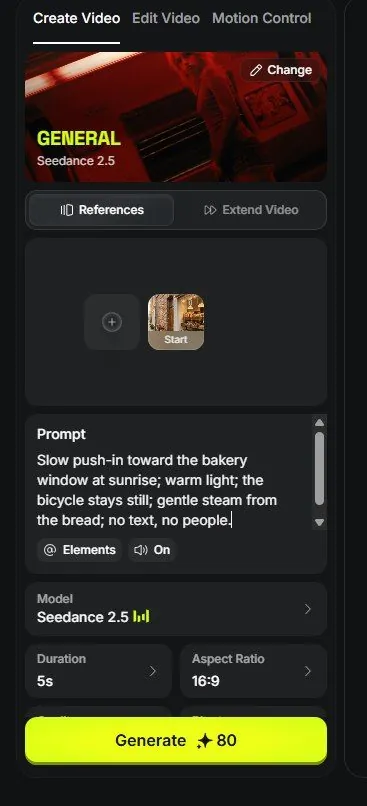
First, the Seedance page with the prompt box ready, a Start frame slot above it, and the Model, Duration and Aspect Ratio controls:
Then the model list you opened:
After the wait, a short vertical clip: the camera creeps toward the loaf, the steam moves, the light stays soft. Not every take is good; two or three tries is normal.
6Watch out
- The two takes will differ. That is not a mistake; the model invents a new version each time. Keep the best, delete the rest.
- If the clip has writing on a bag or sign, it will likely be gibberish. Ask for "no text" as above.
7Go further
Your test clip is a 480p draft. Once you like it, finish it at 1080p (or re-run on Seedance 2.5 with audio on). Chapter 1.5 explains why that paragraph was written the way it was.