
1In one sentence
Claude is one helper that you can reach from many doors: a website, an app on your computer, an app on your phone, and small helpers inside Chrome, Excel, Word, PowerPoint and Slack.
2New words
- App — a program you install on your computer or phone, with its own icon.
- Desktop app — the Claude app for your computer (Mac, Windows or Linux). It can do things the website cannot, like working inside your own folders.
- Browser extension — a small add-on inside Chrome that opens Claude in a side panel next to the web page you are reading.
- Add-in — the same idea, but inside Excel, Word or PowerPoint: Claude appears in a panel beside your document.
- Account — your login. One account works in every door, and your chats follow you.
3Why you would want it
Each door is good at a different moment. On the phone you can talk to Claude while walking. On the computer it can sort your files and make documents. Inside Chrome it reads the page you have open. Inside Excel it works on the sheet in front of you. Knowing the doors means you never have to copy and paste things back and forth.
| Door | Where | Best for | Needs |
|---|---|---|---|
| Website | claude.ai in any browser | Chat, files, research, documents | Any plan |
| Desktop app | Mac, Windows, Linux | Working in your folders (Cowork), long jobs, Claude Code | Paid plan for Cowork |
| Phone app | iPhone, Android | Talking out loud, quick questions, photos | Any plan |
| Claude in Chrome | Chrome side panel | Reading and acting on web pages | Paid plan |
| Claude in Excel, Word, PowerPoint | Microsoft Office add-ins | Working inside your own files | Paid plan; company may need to allow it |
| Claude in Slack | Slack, as a teammate you tag | Team questions and summaries | Team or Enterprise plan |
| Claude Duet (early preview) | Its own phone app (iPhone, Android) | A helper that checks your email and calendar, drafts replies and prepares research on its own, and asks before it sends, pays or deletes anything | Pro, Max or Ultra; US only; invitation from a waitlist |
4Try it now
- On your phone, install the Claude app from the App Store or Google Play and sign in with the same email.
- On your computer, download the desktop app from claude.ai/download and sign in.
- Open the chat you started in Chapter 0.1 on the phone. It is there.
- Press the microphone in the phone app and say: Give me three ideas for dinner tonight.
5What you will see
The same conversation on both devices. Below, the chat from Chapter 0.1 on a computer (left) and in a phone-sized view (right); the phone app looks like the right-hand side, with the microphone button at the bottom for speaking. (The right-hand picture is the Claude website at phone size, not the app itself; it is a close match.)
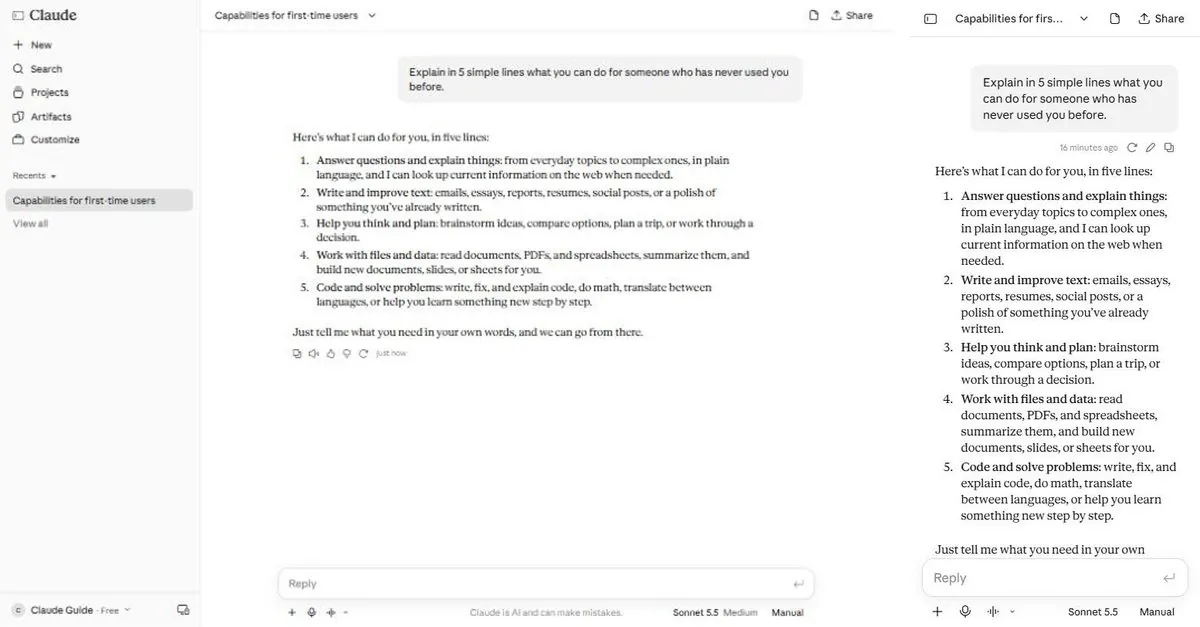
On the phone, Claude answers your spoken question in text, and can read the answer aloud.
6Watch out
- Some doors are only on paid plans, and some only on the desktop app. If you cannot find a feature, check Chapter 0.3 before assuming it does not exist.
- Your company may block add-ins or extensions. Ask whoever manages your computers.
7Go further
Install Claude in Chrome and open any long article. Ask the side panel: Summarize this page in 5 points. Chapter 2.8 goes deeper on that door.