1In one sentence
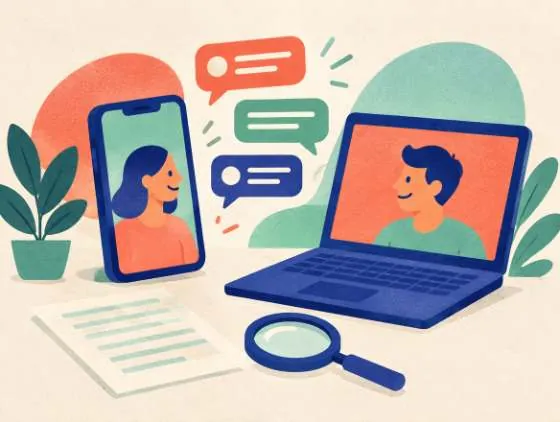
You can attach documents, spreadsheets, photos and screenshots to a message, and ChatGPT will read them and answer questions about what is inside.
2New words
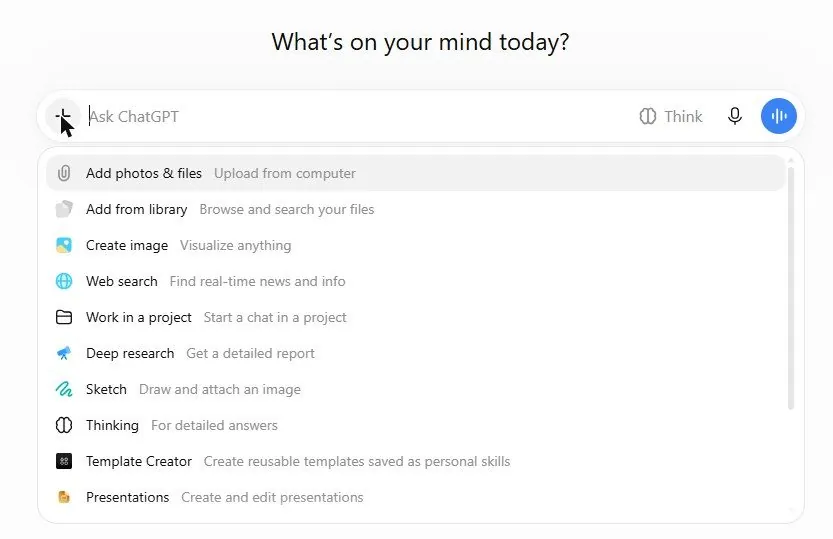
- Attach — add a file to your message. Click the "+" next to the message box, or drag the file onto the chat.
- PDF — a common document format that looks the same on every device. ChatGPT reads the text inside.
- Screenshot — a picture of your screen. ChatGPT can read the words in it.
- Library — the place inside ChatGPT where your uploaded files and generated pictures are kept. Free accounts have a small storage cap.
3Why you would want it
Reading a 40-page lease, finding one number in a spreadsheet, or working out what an error message means are slow jobs for a person and quick for ChatGPT. Photos matter too: a picture of a menu in another language, a plant, a receipt or a broken part can all be explained.
4The + menu, in short
| Item | What it does |
|---|---|
| Add photos & files | Attach from your computer or phone |
| Add from library | Pick a file or picture you uploaded before |
| Create image, Sketch | Picture-making, or drawing a rough sketch for ChatGPT to turn into a picture (Chapter 1.9) |
| Web search | Make ChatGPT look things up online for this message (Chapter 1.7) |
| Deep research | Start a long research job (Chapter 1.8) |
| Work in a project | Put this chat inside a Project (Chapter 1.11) |
| Thinking | The same as the Think button (Chapter 1.5) |
| Template Creator, Presentations | Make reusable templates and slide decks (on some paid plans decks are made with ChatGPT Slides, Chapter 1.15); items like these change by plan, so look for the words you need |
5Try it now
- Find any PDF on your computer (a bill, a manual, a school letter).
- Click "+" then "Add photos & files", pick the PDF, and type: What is this document, and what are the 3 things I need to act on?
- Now take a photo of a printed page or a product label with your phone, attach it in the phone app, and ask: What does this say, in plain words?
6What you will see
The "+" menu open beside the message box:
After you send, the file appears as a small card above your message and the answer refers to its actual content, not to a guess.
7Watch out
- Free accounts can attach only a few files a day, and large files may be refused. If an upload fails, try a smaller file or wait.
- ChatGPT reads text well but can misread blurry photos, handwriting and numbers in dense tables. For figures that matter, ask it to quote the exact line it used, then check it yourself.
8Go further
Attach a spreadsheet and ask: Which month had the highest total, and why might that be? Then read Chapter 1.7 to let ChatGPT look things up on the web.