
1In one sentence
Claude Design is a place where you describe something visual (a web page, a poster, a slide, an app screen) and Claude draws it on a canvas, then you adjust it together.
2New words
- Design — here, a visual layout: where the picture goes, what the headline says, which buttons there are, which colors. Not code, not a document.
- Canvas — the big area on the right where the design appears. You can zoom, select parts, and comment on them.
- Artboard — one frame on the canvas, for example "Landing page — desktop". A design can have several (desktop, phone, poster).
- Mockup — a picture of what something would look like, before it is built for real.
3Why you would want it
Most people cannot draw what they mean, and briefing a designer takes days. With Claude Design you type two sentences and see a real-looking page in a minute, then say "warmer", "bigger photo", "move the hours up" until it is right. For a small business that is a landing page, a menu, a poster and a social post, all on the same afternoon.
4Try it now
(paid plans)
- Click Design in the left sidebar. Under "Make something new", click Design.
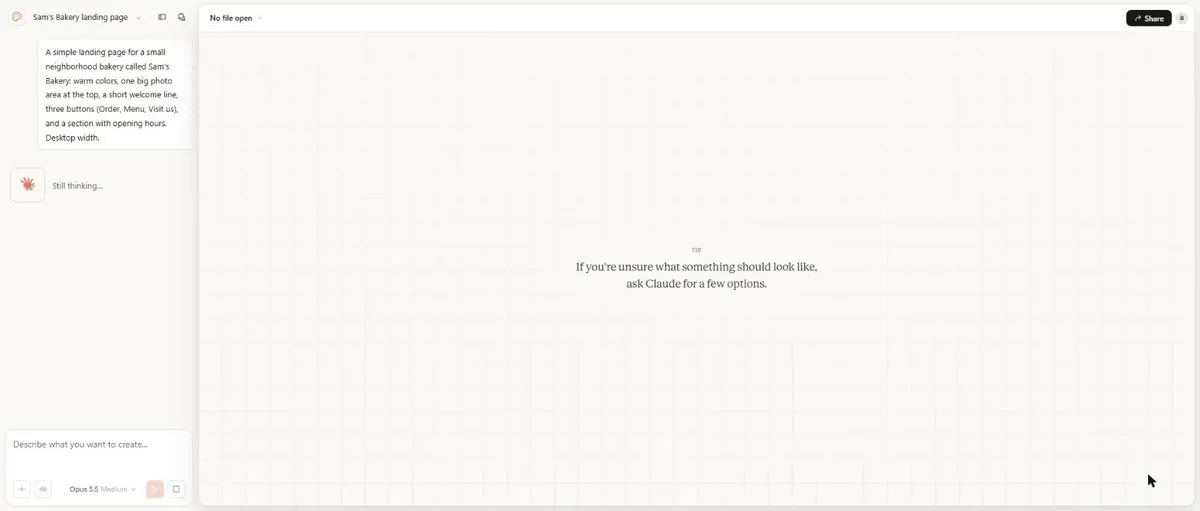
- In the message box on the left, type: A simple landing page for a small neighborhood bakery called Sam's Bakery: warm colors, one big photo area at the top, a short welcome line, three buttons (Order, Menu, Visit us), and a section with opening hours. Desktop width.
- Wait about a minute. Then type a change: Make the headline shorter and the buttons rounder.
5What you will see
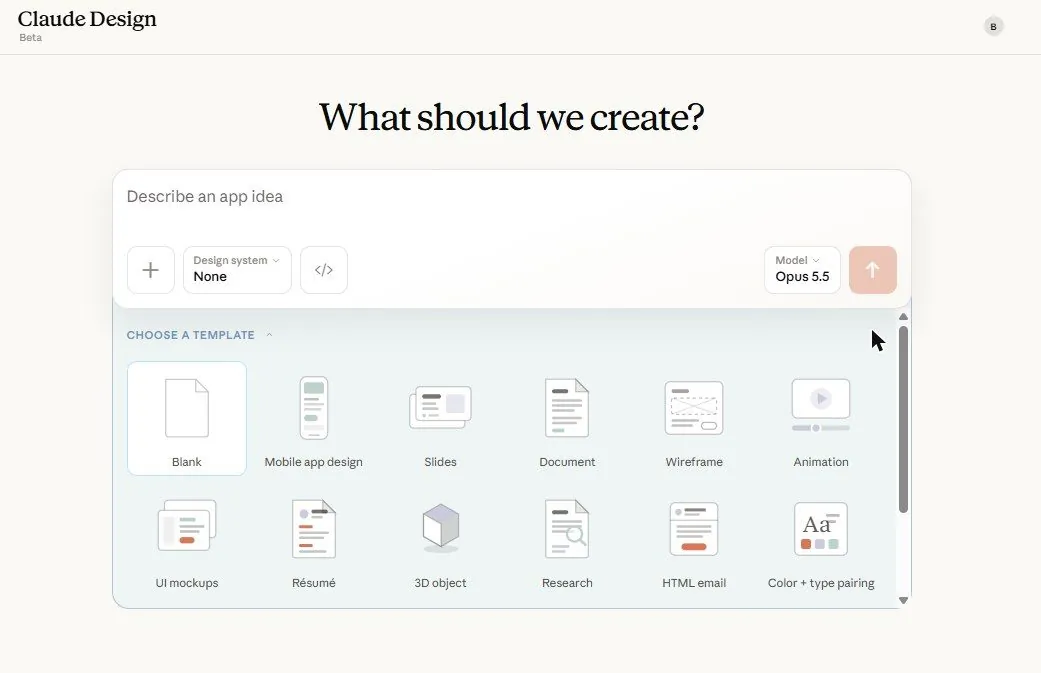
The Design home with four ways to start: Slides, Design, Design in codebase, Design System:
A new design opens with a message box on the left and an empty canvas on the right:
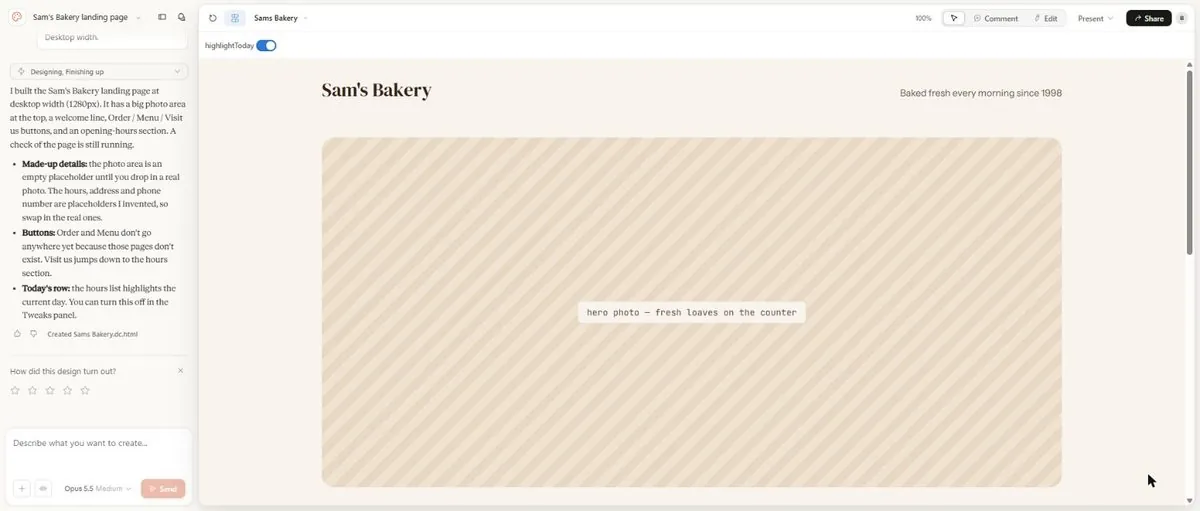
About a minute later the page is on the canvas, and Claude explains what it did and what it assumed (sample hours, placeholder address) so you know what to replace:
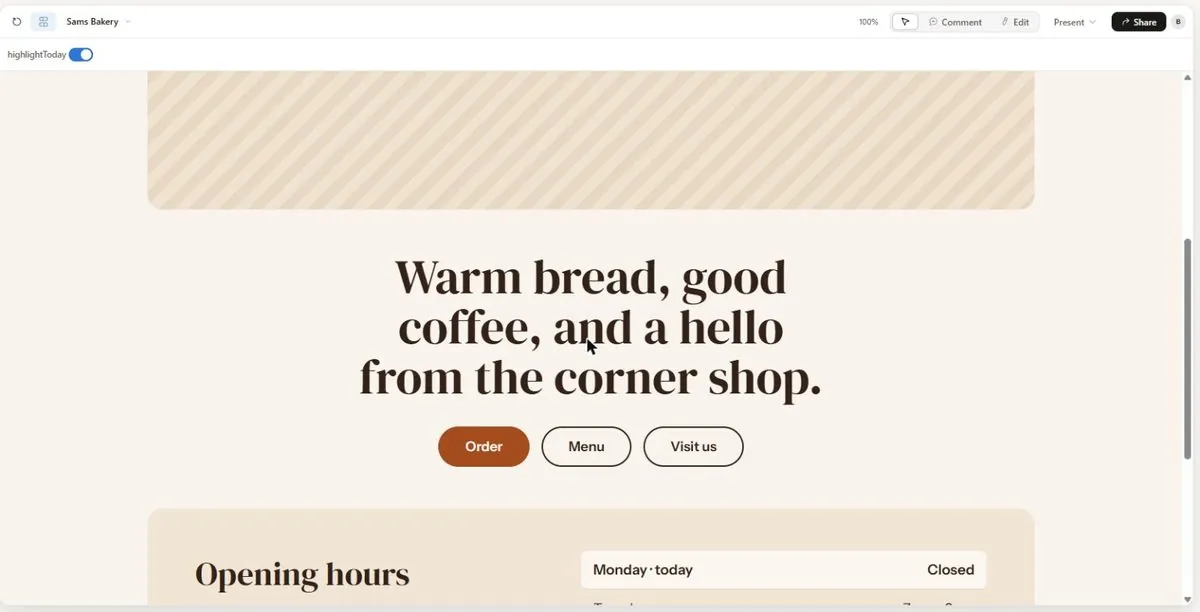
The artboard itself, closer:
6Watch out
- It is a research preview. Buttons move and features change; if this chapter's pictures look different from your screen, the idea is the same.
- Placeholders are placeholders. Claude invents sample hours and addresses so the layout works; replace them before you use the design.
7Go further
Ask for a second artboard: Now make a phone version of the same page. Chapter 3.2 makes every design use your own colors and fonts automatically.