
1In one sentence
A Project is a folder for one part of your life or work, where you keep the files and the instructions once, so every chat inside it already knows them.
2New words
- Project — a workspace in Claude with its own instructions, files and chats. You can have many: one per client, business, course or hobby.
- Project instructions — the standing text Claude reads at the start of every chat in that Project. This is where the facts and rules go.
- Project files (also knowledge) — documents you add once and Claude can read in every chat: your price list, your brand guide, your course notes.
3Why you would want it
In Chapter 0.5 you saw that Claude only knows what is on the desk. A Project is a desk that stays set up. Instead of re-explaining your business every time, you explain it once in the instructions, drop in three or four key files, and every new chat starts informed. It is the single biggest upgrade for anyone who uses Claude for the same work every week.
4Try it now
- Click Projects in the left sidebar, then New project.
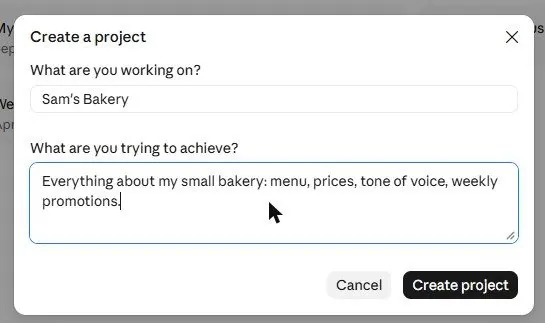
- Name it (for example "My bakery"). The description box is for you; it is not what Claude follows. Click Create project.
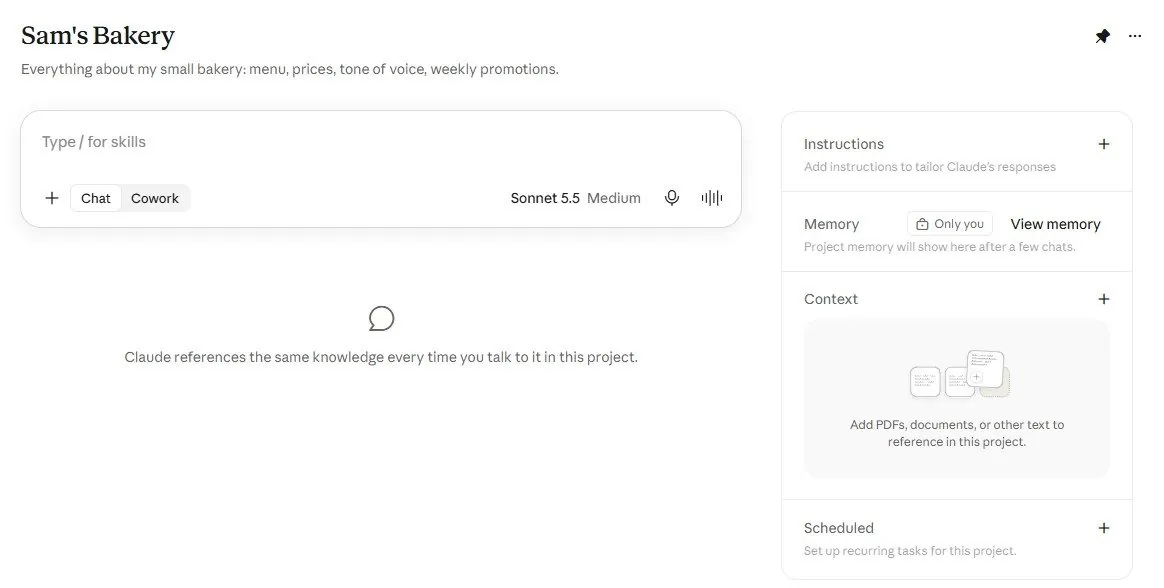
- On the project page, next to Instructions, click Add. Write who you are, what the business is, who the customers are, and how you want answers (short first, tone). Save.
- Next to Files, click Add and upload one or two documents that matter (a menu, a price list).
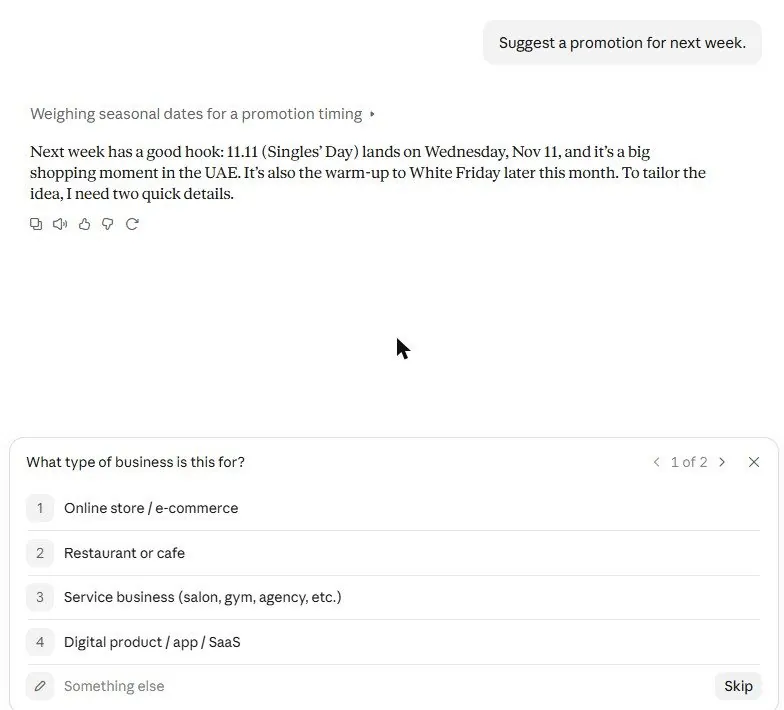
- In the project's chat box, type a question you ask often, for example Suggest a promotion for next week.
5What you will see
The New project dialog asks for a name and a description:
The project page has the chat box in the middle and Instructions and Files on the right:
We tested the promotion question twice on purpose. Before the instructions were added, the same question got a generic answer and four questions back ("What do you sell?"):
Then we wrote the instructions:
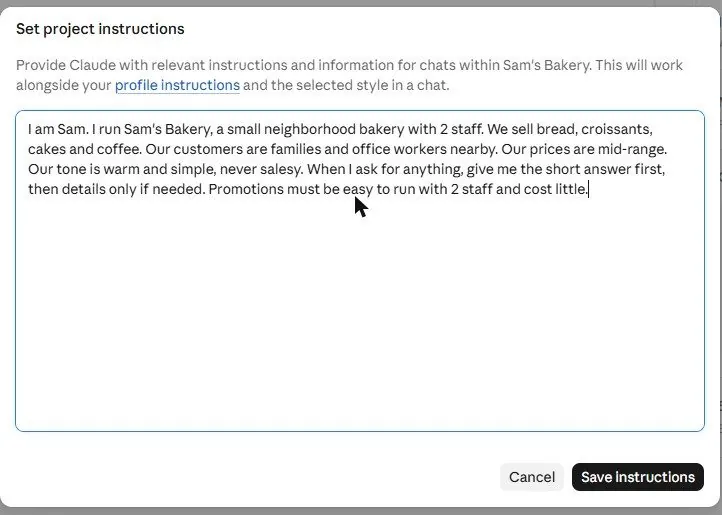
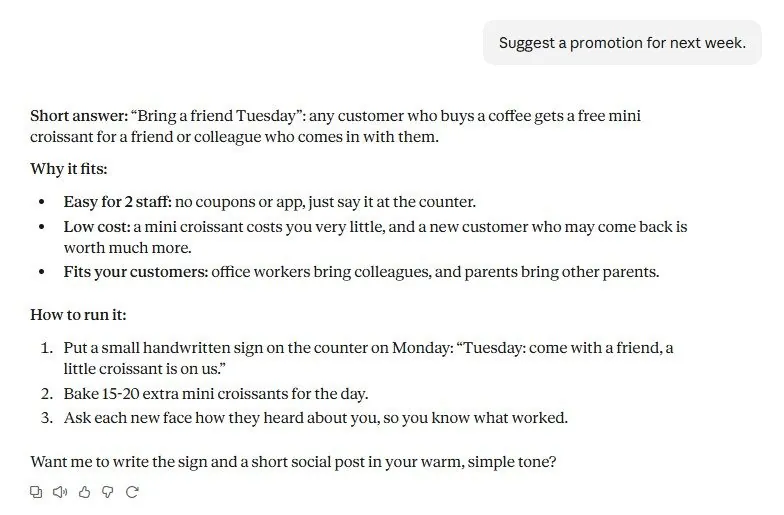
After saving, the answer named the bakery's own products, followed the "short answer first" rule, and used the warm tone we asked for. Nothing else changed:
6Watch out
- The description you type when creating the Project is not instructions. Put the facts in the Instructions box, or Claude will not see them.
- Put in the essentials, not everything. Three good files beat thirty; too much makes answers slower and vaguer.
7Go further
Create one Project per thing you do often: a client, a course you are studying, a side business, your family admin. Then read Chapter 1.7 to add instructions that apply everywhere, not just in one Project.