1In one sentence
On the Image page you choose a model, type what you want, pick a shape, and a few seconds later you have a picture in your Assets.
2New words
- Aspect ratio — the shape of the picture: 1:1 is a square, 16:9 is wide like a TV, 9:16 is tall like a phone screen.
- Reference image — a photo you upload so the model copies something from it (a product, a face, a style).
- Soul — Higgsfield's own picture model. Good at realistic people and fashion-style photos.
- Nano Banana — Google's picture model, available inside Higgsfield. Good at following references and at readable text.
3Why you would want it
Sam's Bakery needs a photo of a croissant for Instagram and does not have a photographer. A good picture takes one minute here. Pictures are also the cheapest thing on the site and the fastest way to learn how prompts work, and most videos start from a picture (Chapter 1.7).
4Try it now
- Click Image in the top bar, then Create Image.
- Find the model picker (a dropdown near the prompt box). The list on November 2, 2026 included Higgsfield Soul 2.0, Soul Cinema, GPT Image 2.5 (Sunburst and Flare), Nano Banana 2.1, Nano Banana Pro and several Seedream versions. Choose Nano Banana Pro or Higgsfield Soul 2.0.
- In the prompt box type: A golden butter croissant on a wooden board, soft morning window light, small bakery, shallow focus, warm and inviting, photo.
- Set the aspect ratio to 1:1 and the size to 1k (the smallest).
- Read the credit number, then click Generate. On the day of writing, one Nano Banana Pro picture at 1k cost 2 credits.
5What you will see
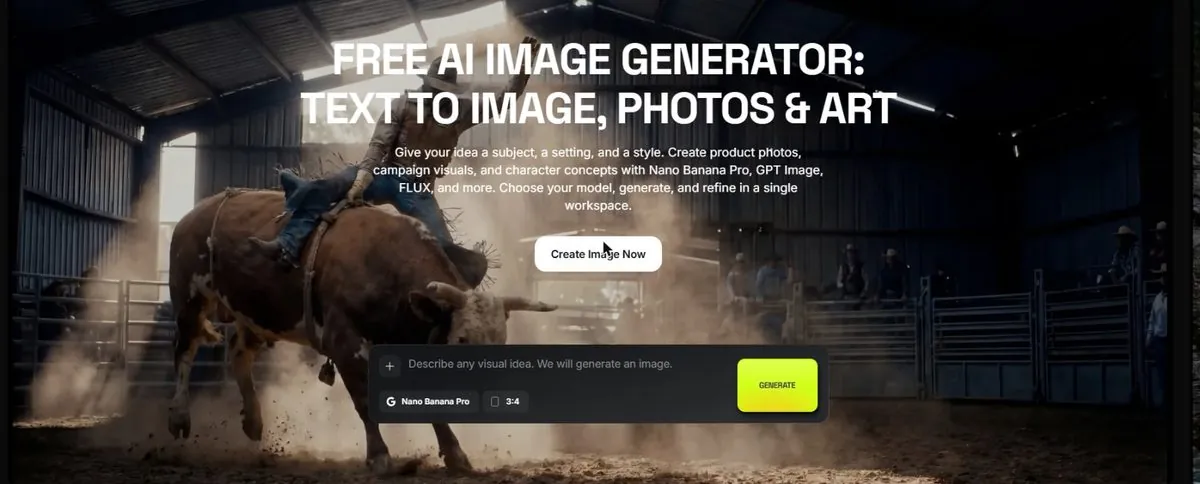
The Image page with the prompt box at the bottom, the model picker above it, and the shape and size settings beside it:
A few seconds later the picture appears above the box. Click it and a panel opens with Turn to video, Recreate, Reference and Download:
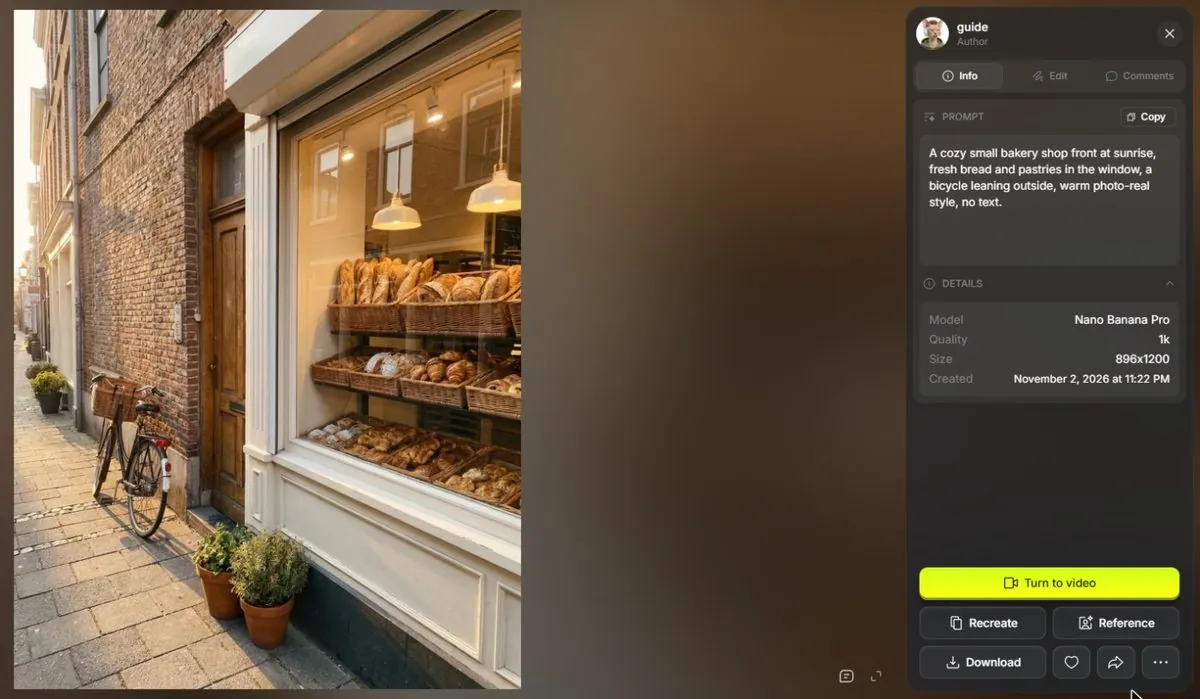
The prompt pattern you used (subject, light, place, mood, "photo") works in every model.
6Watch out
- Text inside pictures (a sign saying "Sam's Bakery") is hard for most models. Nano Banana and GPT Image handle it best; Soul often misspells it.
- The first picture is rarely the best. Press Generate two or three times with the same prompt; cheap models make this painless.
7Go further
Upload a real photo of your own croissant as a reference and ask for the same croissant on a marble counter. Then read Chapter 1.4 to make it move.