1In one sentence
The Video page works like the Image page, with three extra choices: which model (which also sets how sharp), how long, and whether you want sound.
2New words
- Clip — one short video, usually 4 to 15 seconds. Higgsfield makes clips, not films; you join clips later.
- Duration — how many seconds the clip lasts. Longer costs more.
- Native audio — sound the model invents while it makes the video: footsteps, wind, voices. Some models have it, some do not.
- Seedance — ByteDance's video model and the one Higgsfield opens by default (version 2.5 in November 2026). Reliable movement, good with people.
- Draft — a cheap 480p version of Seedance 2.5 for tests. You can pay later to finish a draft at 1080p, within seven days. Higgsfield's changelog says Draft is offered everywhere except the US.
3Why you would want it
Still pictures are everywhere; a moving clip stops the thumb. For Sam's Bakery, a 5-second shot of steam rising off a loaf does more on Reels than ten photos. The first video also teaches you the most important lesson about AI video: short, simple, one action.
4Try it now
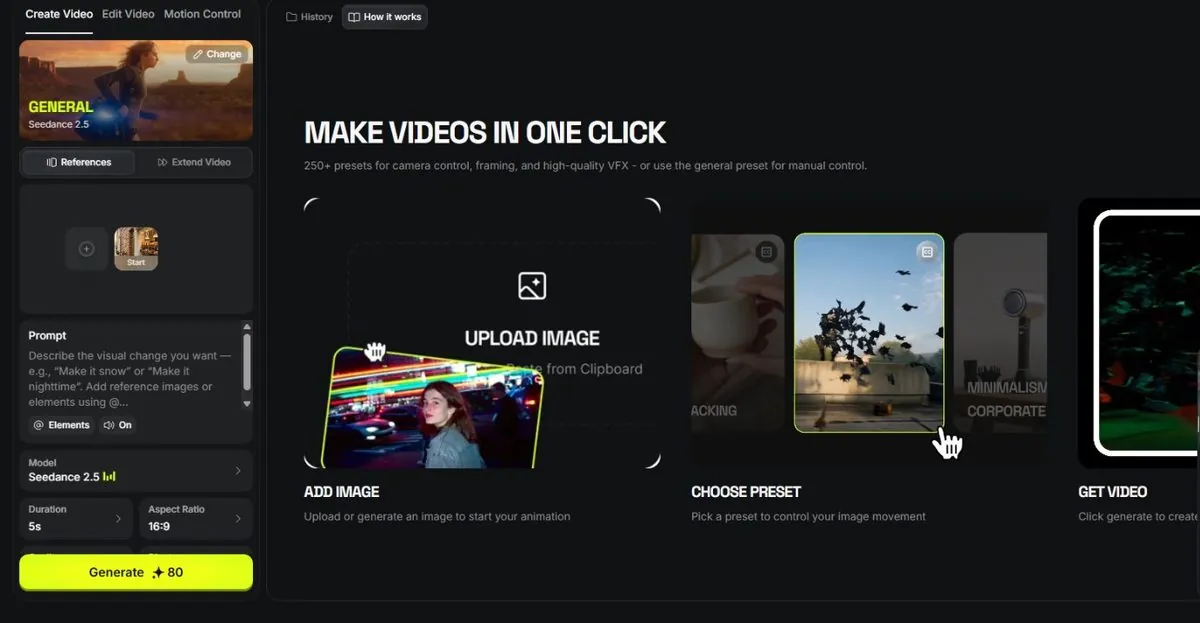
- Click Video in the top bar. The page has three tabs: Create Video, Edit Video and Motion Control. Stay on Create Video.
- Leave the model on Seedance 2.5 (the preset card at the top says "GENERAL — Seedance 2.5"; the Change button swaps it). Pick Seedance 2.5 Draft if you want it cheaper.
- Type: A baker in a white apron slides a tray of fresh bread out of a stone oven; steam rises; warm light; slow push-in; cozy bakery kitchen.
- Set Duration to 5s, Aspect Ratio to 9:16, and leave audio On.
- Read the credit number on the button. Click Generate and wait; about three minutes is normal.
5What you will see
The Video page with the preset card, a Start frame slot, the prompt box (with an Elements button and the audio switch), and the Model, Duration and Aspect Ratio controls above the Generate button:
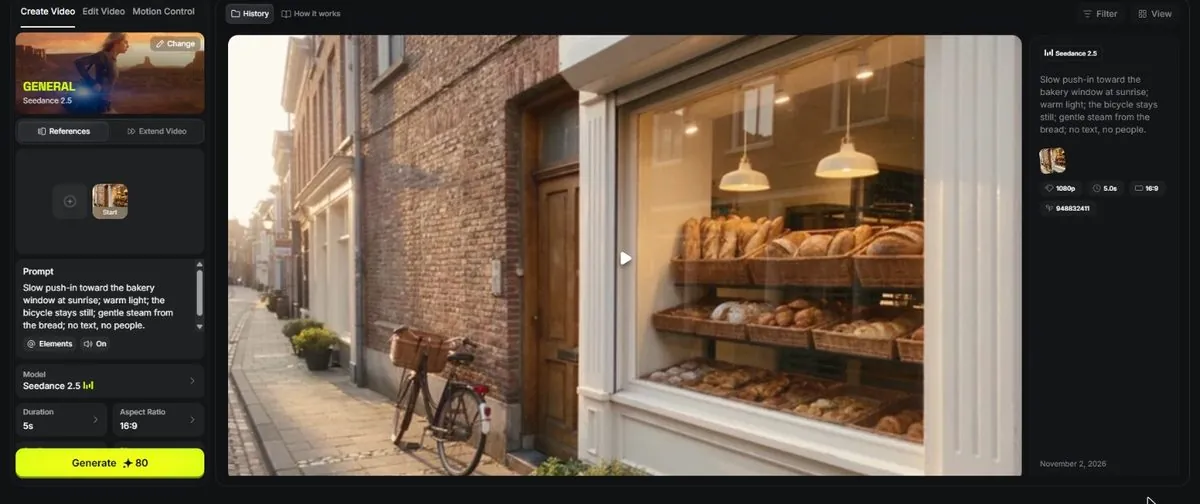
Then the finished clip, playing in a loop, with Download and other actions under it (Extend Video is one of them):
If the oven door opened the wrong way or the hands look strange, that is normal for a first try.
6Watch out
- Hands, text and fast motion are where AI video still fails most. Keep the first clips slow and simple.
- Free accounts have no credits and few models. If Generate is gray, hover over it to read why.
7Go further
Press Generate again with the same prompt and compare. Then read Chapter 1.5 to learn which engine to pick for which job.