1In one sentence
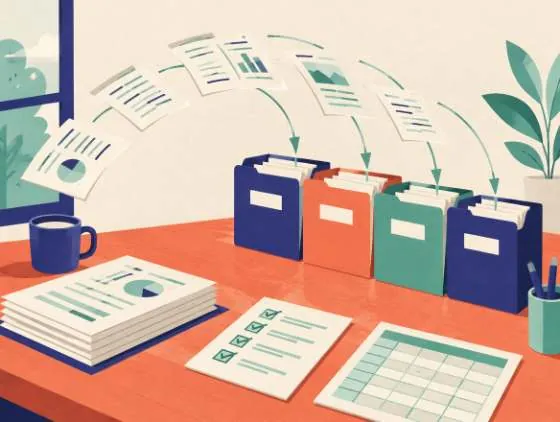
The + button under the message box lets you hand Gemini a document, a photo, a spreadsheet, a video, or a file straight from your Google Drive, and then ask questions only that file can answer.
2New words
- Attach / upload — put a file into the chat so Gemini can read it.
- Add from Drive — pick a file that already lives in your Google Drive instead of uploading it again.
- Keep Activity — a setting that must be on for Drive files to work in the chat; it also means your chats are saved to your account.
- Context window — the amount of text Gemini can hold in mind at once. Free accounts get a modest one; paid plans get a much larger one (Google says the Pro model can hold roughly 1,500 pages).
3Why you would want it
The most useful thing an AI does is read what you cannot face reading: a 40-page contract, a bank statement, a photo of a handwritten menu. Once the file is in the chat, you can ask "where does it say I can cancel?" and get the page in seconds.
4The map
| What you can add | How | Limits (checked Nov 2026) |
|---|---|---|
| PDFs, Word, text, spreadsheets, images | + then Upload files | Up to 10 files per message, 100 MB each |
| Videos | + then Upload files | Up to 2 GB; 5 minutes total on Free, 1 hour on Pro/Ultra |
| Audio | + then Upload files | 10 minutes on Free, 3 hours on Pro/Ultra |
| Google Docs, Sheets, Drive files | + then Add from Drive | Needs Keep Activity on and Workspace connected |
| A photo from the phone camera | Camera icon in the phone app | Same as images |
5Try it now
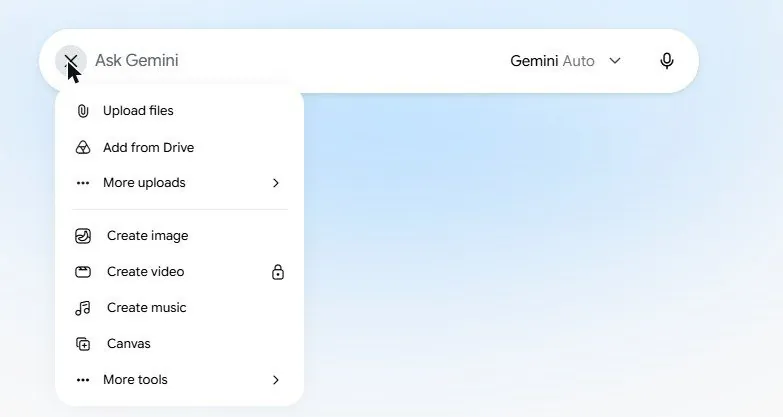
- Open a new chat. Click the + button at the left of the message box.
- Choose Upload files and pick any PDF you have (a bill, a manual, a menu).
- Type: In 5 bullets, what is this document, and what is the one date or amount I must not miss?
- Then: Where exactly does it say that? Quote the sentence.
- Click + again, choose Add from Drive, and pick a Google Doc. If asked to connect Workspace, say yes.
6What you will see
The + menu, listing Upload files, Add from Drive and More uploads at the top, then the tools (Create image, Create video, Create music, Canvas, and a More tools entry that hides Deep research and Guided learning):
Your file appears as a small card above your message, and the answer refers to its contents.
7Watch out
- Gemini can misread tables and scanned handwriting. For numbers that matter, ask it to quote the exact cell or line, then look at the original yourself.
- Uploaded files are stored with your chat under your Google account. Delete the chat (Settings & help, then Activity) if the file is sensitive and you are done.
8Go further
Attach a photo of a product label and ask Is anything on this list something a person with a nut allergy should avoid? Then read Chapter 1.7 to let Gemini read the whole web, not just your file.