
1In one sentence
Cowork is Claude working through a job on its own: it plans the steps, uses tools, makes the files, and shows you the result, instead of just talking about it.
2New words
- Cowork — the "do it" side of Claude: it plans, uses tools and makes files. Since September 2026 it is no longer a separate mode: chat and Cowork are one Claude, and any chat can take on a Cowork task. (If your account has not switched yet, you still see Chat and Cowork under the typing box.)
- Task — one job you give Cowork, from start to finish. Each task is its own session you can come back to.
- Tool — something Claude can use during a task: a skill, a connector, a browser, a file. The Context panel on the right lists which ones it used.
- Cloud session — the task runs on Anthropic's computers, so you can close the laptop and it keeps going.
3Why you would want it
A plain chat answer to "make me a planner" is a description of a planner. Cowork gives you the file: an Excel sheet with working formulas, ready to download. You do not pick a mode first; Claude sees that the job needs doing and does it. The difference is that Cowork has hands, and now every chat has them.
4Try it now
(paid plans)
- Open a new chat. If you still see Chat and Cowork under the typing box, click Cowork; if not, just type, because every chat can now do this.
- Set the mode to Manual (Chapter 2.10).
- Type: Make me a simple weekly planner as an Excel file: rows Monday to Sunday, columns Morning, Afternoon, Evening, Notes, with a header row in bold and a total-hours column that adds up a Hours column I can fill in.
- Watch the right-hand panel: Progress, Outputs, Context.
- When the file appears under Outputs, click it to preview, then Download.
5What you will see
The task starts, and the Context panel on the right shows which tool Claude loaded (the xlsx skill):
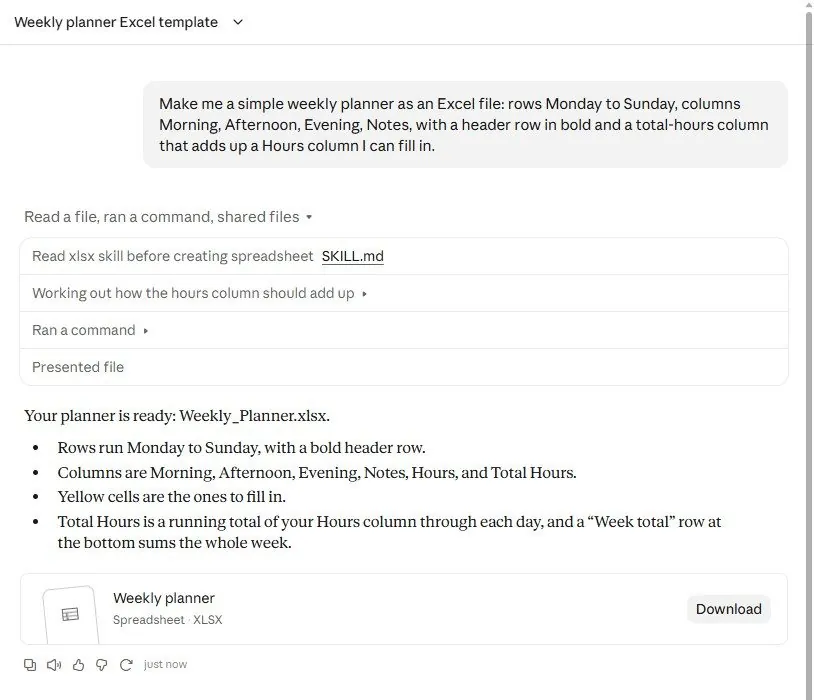
When it finishes, Claude explains what it built and tested, and the file sits under Outputs with a Download button:
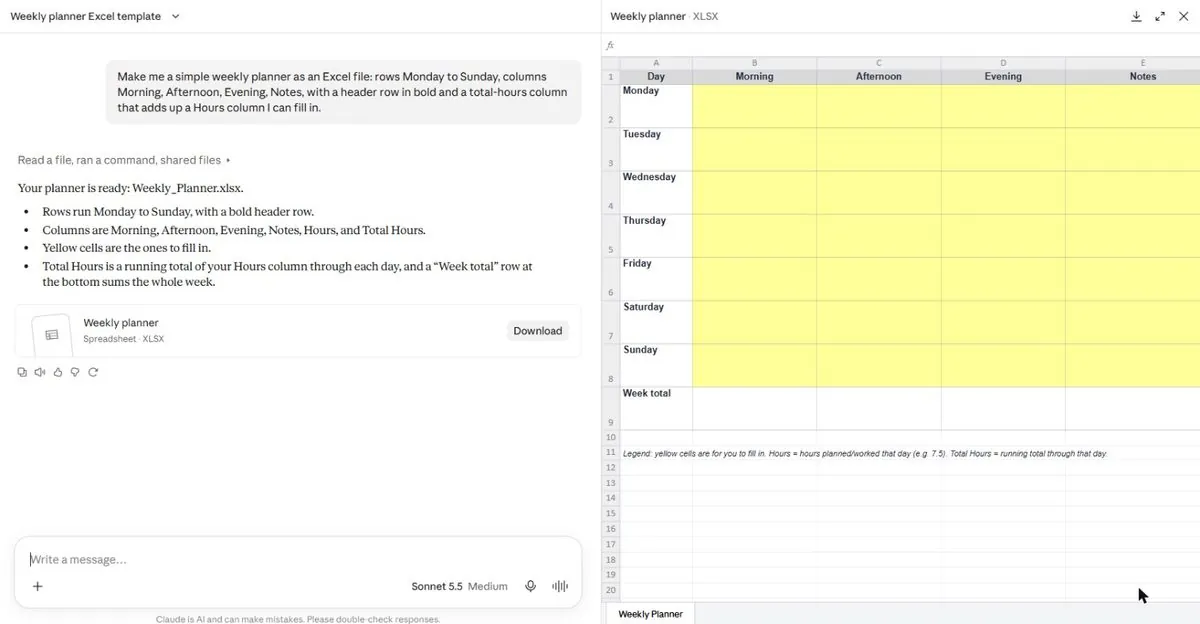
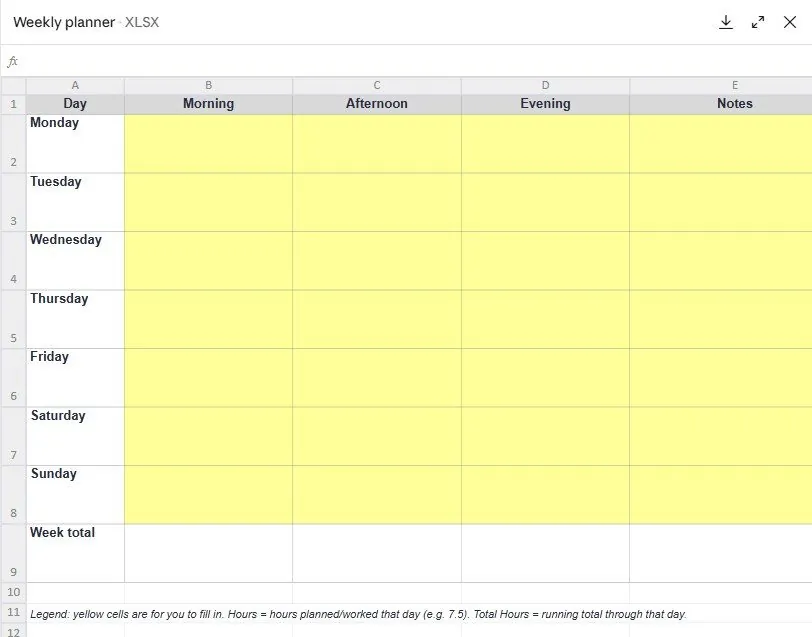
Clicking the file opens a preview of the real sheet: bold header, days down the side, a Week Total row, and a how-to note:
The whole task took under a minute.
6Watch out
- Describe the result you want, not every click. Cowork plans the steps; your job is the brief (Chapter 4.2).
- A task uses more of your plan's limit than a chat. Give it real work, not small questions.
7Go further
Give the same task a follow-up inside the session: Add a sheet for next week and a chart of hours per day. Chapter 2.2 lets Cowork work inside a folder on your computer, which is where it becomes an assistant.